The mission of the New York State University Police Department at Purchase College is to protect, educate, serve and cooperate with the campus community. We believe that successful policing involves collaboration between law enforcement and the community it serves and will work with all of our constituents to make Purchase College a safe and secure environment.
The New York State University Police is a full-time, year-round law enforcement agency that complies with the Federal Student Agency Right-to-Know and Campus Security Act (public law 101-542).
Contacts
| Contact | Phone Number |
|---|---|
| Emergency | (914) 251-6911 |
| Non-Emergency | (914) 251-6900 |
| Anonymous | (914) 251-6868 |
| Counseling Center | (914) 251-6390 |
Rape Crisis Hotline (Off-Campus) |
(914) 345-9111 |
| Health Services | (914) 251-6380 |
| Residence Life | (914) 251-6320 |
News:
-
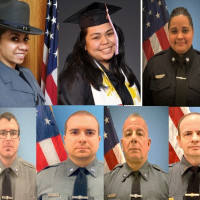
SUNY UPD Annual Awards for Professional Service
SUNY Police Chief’s Annual Awards for Professional Service -
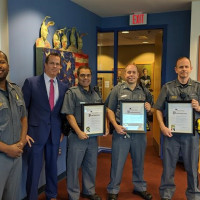
Police Officers Recognized for Response to Medical Emergency
On September 17 2019, NYS University Police Officers were recognized by Interim President Dennis Craig for their response to a medical emergency involving a local community member who suffered a cardiac medical episode while jogging on the campus of Purchase College. President Craig presented Officer Genaro Gonzalez, Officer Michael Boyd, and Lieutenant Tim Ludden with framed proclamations recognizing the officers for their dedication, their selfless service, and the lifesaving first aid they provided.
-
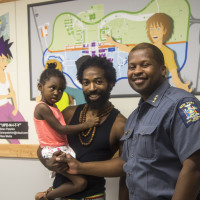
Building Bridges with UPD and Campus Community
Brian Peterkin ’18 unveiled the mural he created for the University Police Department to help build a bridge between UPD and the campus community. -

Purchase Hosts Local Police Officers for Special Training
The State University Police, the State Police Campus Sexual Assault Unit, and the Westchester County District Attorney’s Office teamed up to host a sexual assault investigations course for local area police officers at Purchase College, SUNY August 2 and August 6.


