COVID-19: Latest Updates.
At Purchase College, you’ll always find options for a lifetime of learning.
Pursue a passion. Hone or acquire skills for job progression. Enrich children and teens with the transformational power of summer immersive arts and writing programs. Get ahead or catch up on undergraduate credits in 100% online courses in the Winter Session or a wide variety of courses in the Summer Session.
Whatever your goal, you’ll find continuing education courses and programs at Purchase College for every step of your journey.

News:
-

IIN Graduate One of 7 Black Entrepreneurs Changing the Face of the Health and Wellness Industry
Latham Thomas, the owner of Mama Glow, is on a mission to help women reclaim birth. As a graduate of Columbia University and The Institute for Integrative Nutrition (IIN), she is a world renown birth doula and wellness leader, transforming the wellness movement. Read the entire article on the Ebony website. -

Broadview: A Meeting of the Minds
Read more about the planned retirement community on the Purchase campus, as featured on WAMC.org. -

New to Online Learning?
Tips for taking an online summer courses. -

Interested in applying to Purchase College?
Request Information and schedule a visit! -
-

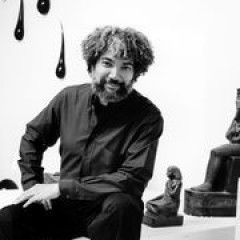
Meet Voiceover Intensive Instructor, Rafael Ferrer
Purchase College Offers Intensive Voiceover Class


